
|
Data |
| Prev: EBC5 | Up: Map | Next: EBF0 |
|
|
||||
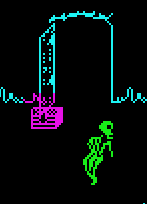
Used at E3FD when setting display attributes for drawn/erased graphics that aren't Maroc or background room scenery.
Contains a series of directional offsets to put the colours for the graphic on screen.
There are 2 sets:
After each offset is added to the display address pointer, the colour is applied to the character square.
SET 1 - for CREATURES, or destroyed creatures (3 x 5 character squares):
|
||||
| EBD6 | DEFB $0F | First byte = number of bytes in this set, used as a loop counter for printing the colour blocks | ||
| EBD7 | DEFB -$41 | Added to screen attribute display address. In this case -65 will move the address up TWO ROWS, and one square to the left | ||
| EBD8 | DEFB $01 | Then move right one square | ||
| EBD9 | DEFB $01 | ...and another one | ||
| EBDA | DEFB $1E | Then add 30 to the address, which moves down one line and back to the left two squares | ||
| EBDB | DEFB $01,$01,$1E,$01,$01,$1E,$01,$01 | ...Then a repeat of the 2 x 1 character squares, for 4 more rows, with some 30s to move across the screen and down to the next row | ||
| EBE3 | DEFB $1E,$01,$01 | |||
|
SET 2 - for OBJECTS (3 x 3 character squares):
|
||||
| EBE6 | DEFB $09 | First byte = number of bytes in this set, used as a loop counter for printing the colour blocks | ||
| EBE7 | DEFB -$21 | Added to screen attribute display address. In this case -33 will move the address up ONE ROW, and one square to the left | ||
| EBE8 | DEFB $01 | Then move right one square | ||
| EBE9 | DEFB $01 | ...and another one | ||
| EBEA | DEFB $1E | Then add 30 to the address, which moves down one line and back to the left two squares | ||
| EBEB | DEFB $01,$01,$1E,$01,$01 | ...Then a repeat of the 2 x 1 character squares, for 2 more rows | ||
| Prev: EBC5 | Up: Map | Next: EBF0 |